Invoice-Based Job Posting
Introduction Our platform offers a flexible payment option for posting jobs: Payment by Invoice. This feature is designed for companies that prefer or require to pay via traditional invoicing and bank transfers, rather than credit card or other online payment systems.
When a company chooses this option, their job post is submitted for review, and a notification is automatically sent to our administrative team to begin the invoicing process.
How It Works: For Companies Posting a Job
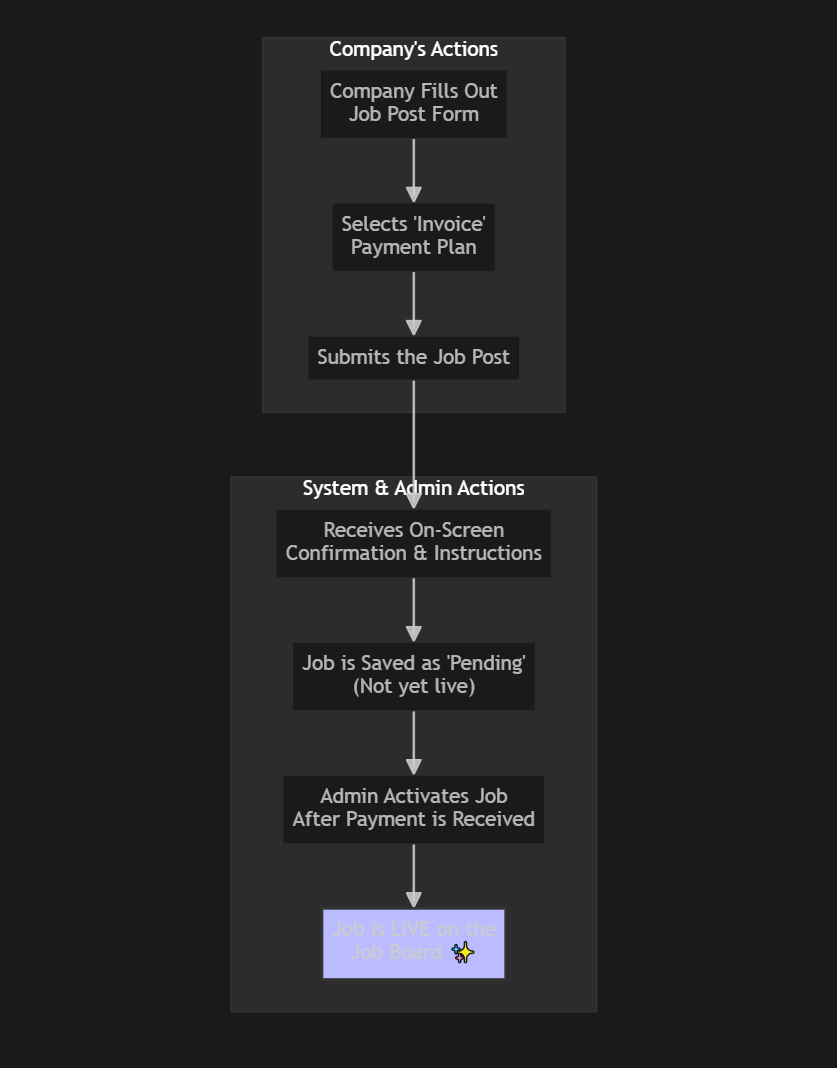
The process is seamless and integrated directly into the job posting form. 1. Create the Job Post: Fill out all the details for your job opening as you normally would. 2. Select an Invoice Plan: In the payment section, choose a plan that is designated for "Invoice" payment. 3. Submit for Review: Once you submit the form, your job post is saved in our system with a "Pending Review" status. It will not be live on the job board at this stage.
4. Confirmation: You will see a confirmation message on screen indicating that your job has been received and is awaiting processing. This message will include payment instructions.
5. Activation: Our team will issue an invoice to your company. Once we confirm receipt of your payment, we will manually activate your job post, making it live on the job board for candidates to see. Here is a simple diagram illustrating the process:
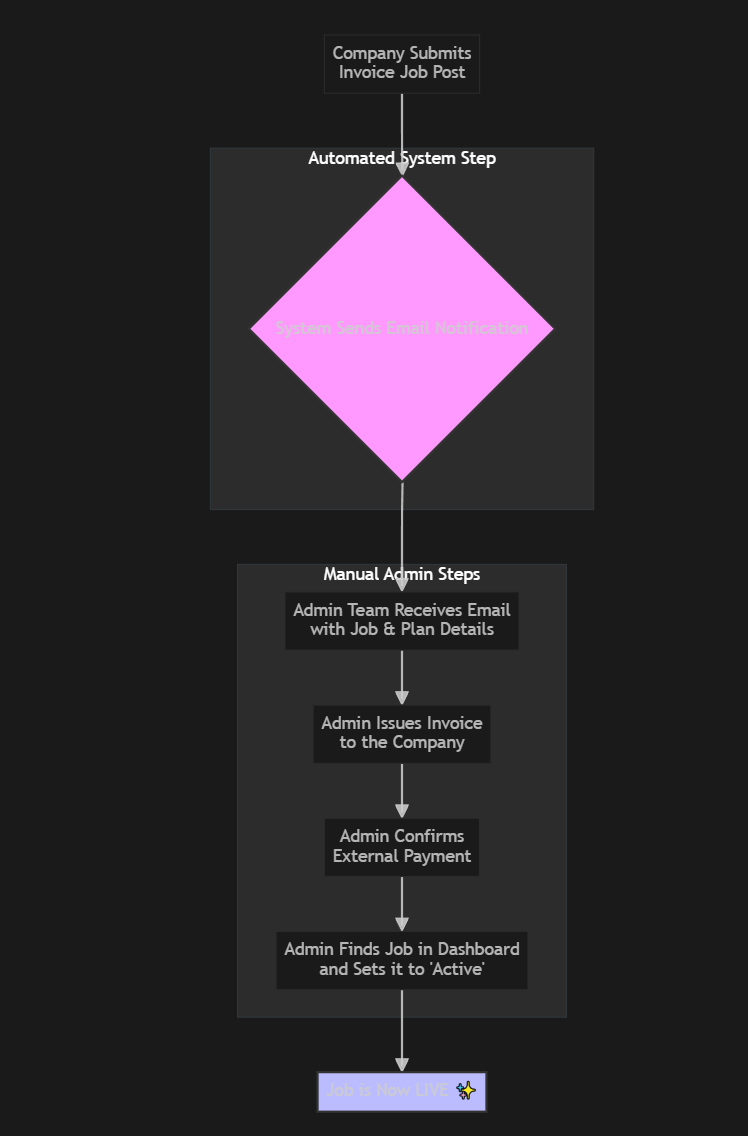
How It Works: For Site Administrators This feature automates the notification part of the invoicing workflow, ensuring you never miss a new invoice-based job submission. 1. Automated Notification: The moment a company submits a job using an invoice plan, the system sends an automated email notification to a pre-configured list of recipients (e.g., your finance or sales team). 2. Review and Invoice: The notification contains all the necessary details to act. Your team can then create and send a formal invoice to the client. 3. Activate the Job: Once payment is confirmed through your external accounting process, you can find the job post in the administrative dashboard and manually change its status to "Active". This makes the job visible to the public. This diagram shows the administrative workflow:
Managing Invoice Notifications The notification system is fully customizable within the administrator settings. - Recipient List: You can specify one or more email addresses that should receive the new job notifications. This ensures the alert goes to the right people in your team. - Customizable Templates: You can edit the Subject and Content of the notification email. The system supports placeholders (like {jobTitle} or {companyName}) which are automatically replaced with the actual data from the job post, allowing you to create detailed and personalized notifications for your team.
This powerful combination of automation and manual control ensures a smooth and reliable process for handling invoice-based payments.