Setup the Google Indexing API
Use this guide to quickly enable the Google Indexing API so you can submit URLs to Google programmatically (especially to increase the number of visitors to your site).
✅ What You’ll Need
A Google Cloud account
A Google Search Console property (your site must be verified there)
A few minutes of setup
1. 🔧 Create a Google Cloud Account
This project gives you access to the Indexing API.
Go to the Google Cloud Console & accept the terms of service
https://console.cloud.google.com/
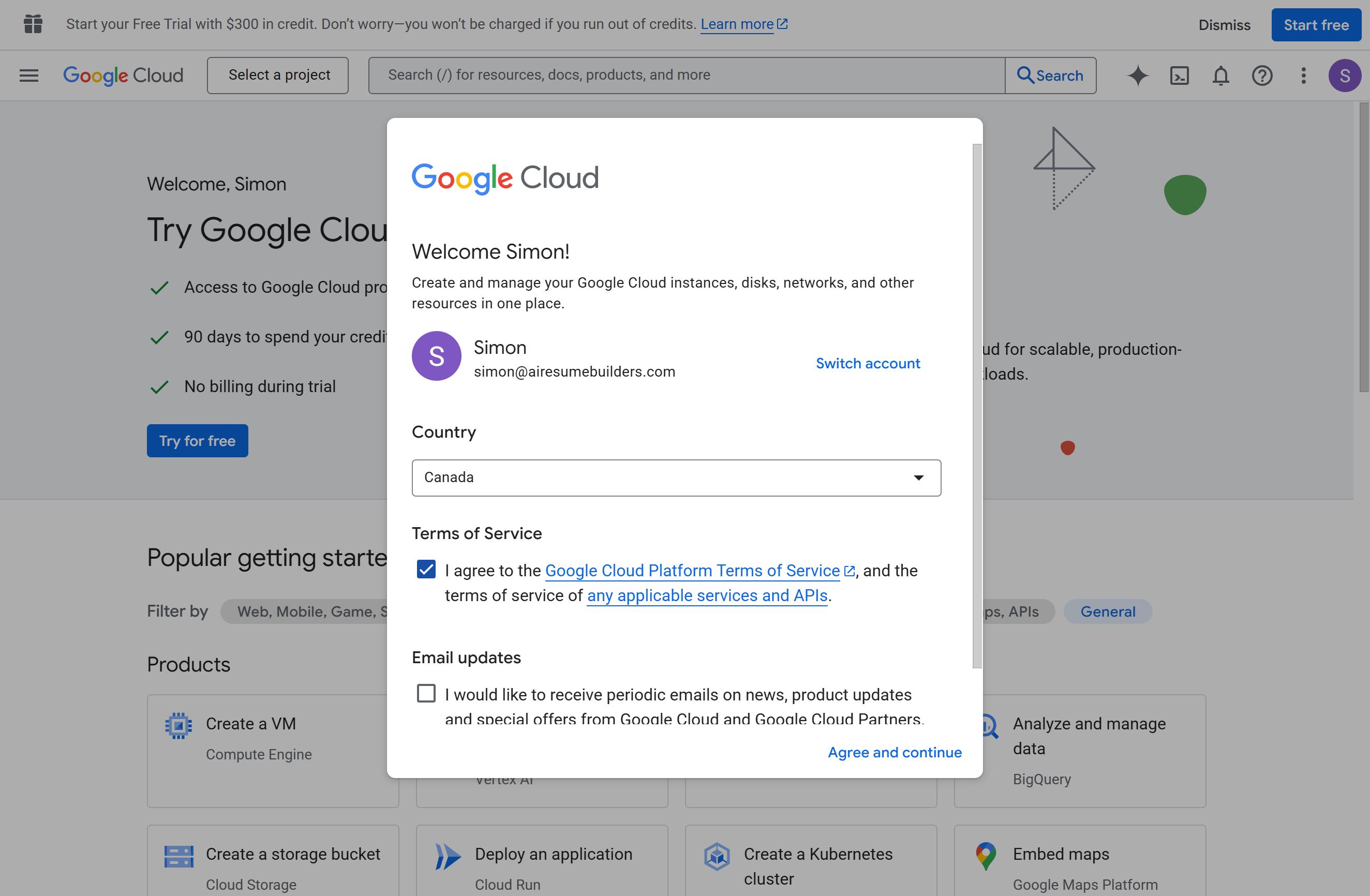
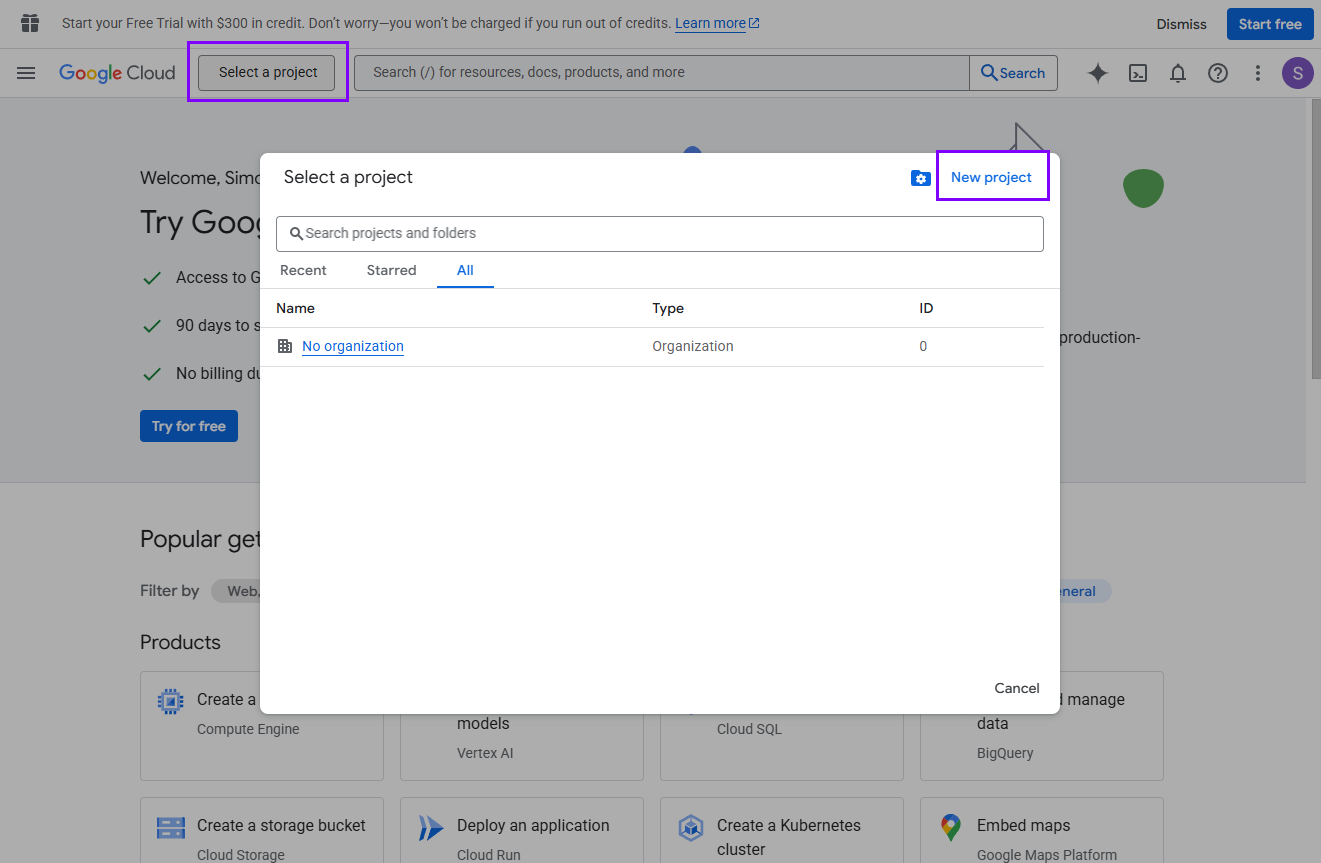
Click on the Select a project button and the top-left project dropdown → New Project.
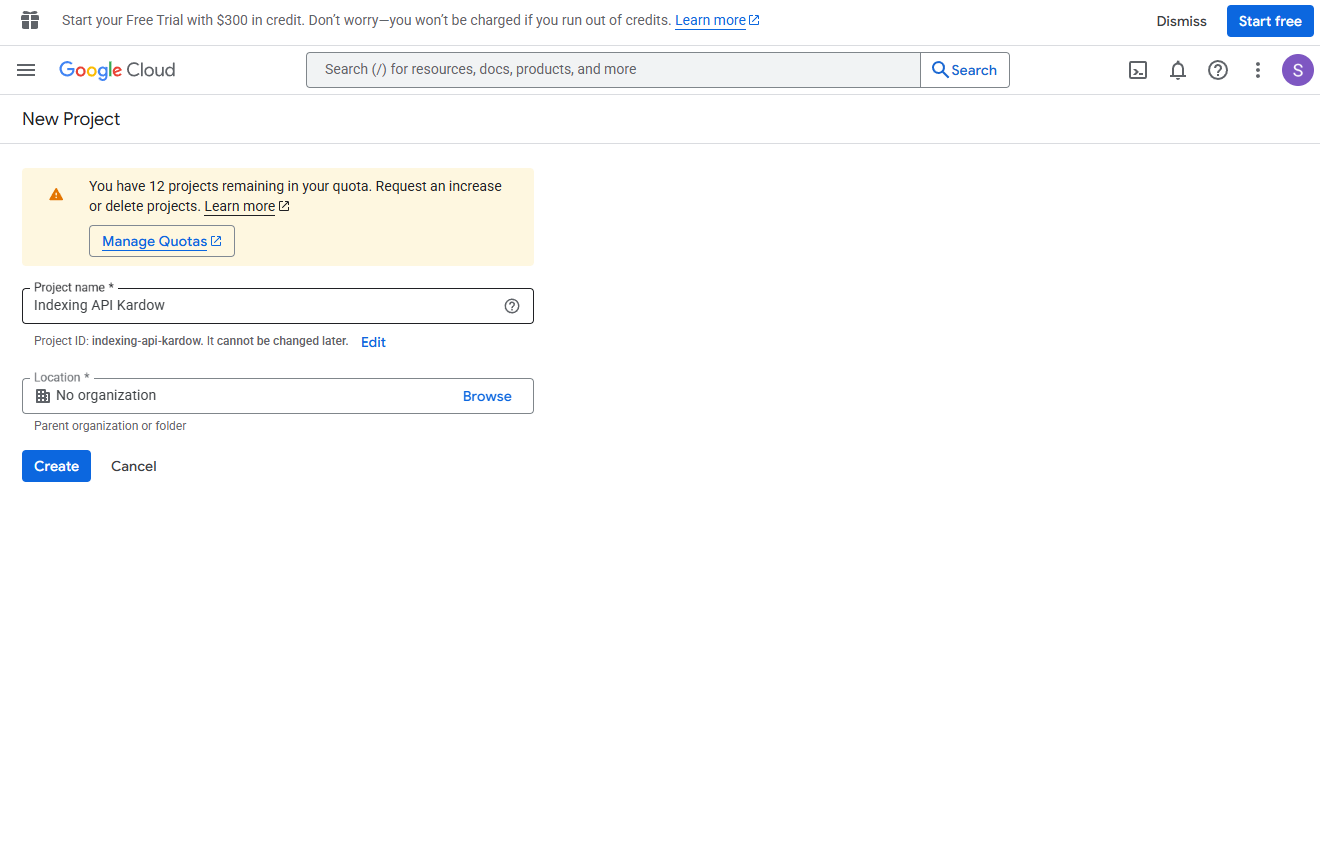
Give it a name like Indexing API Kardow, click Create.
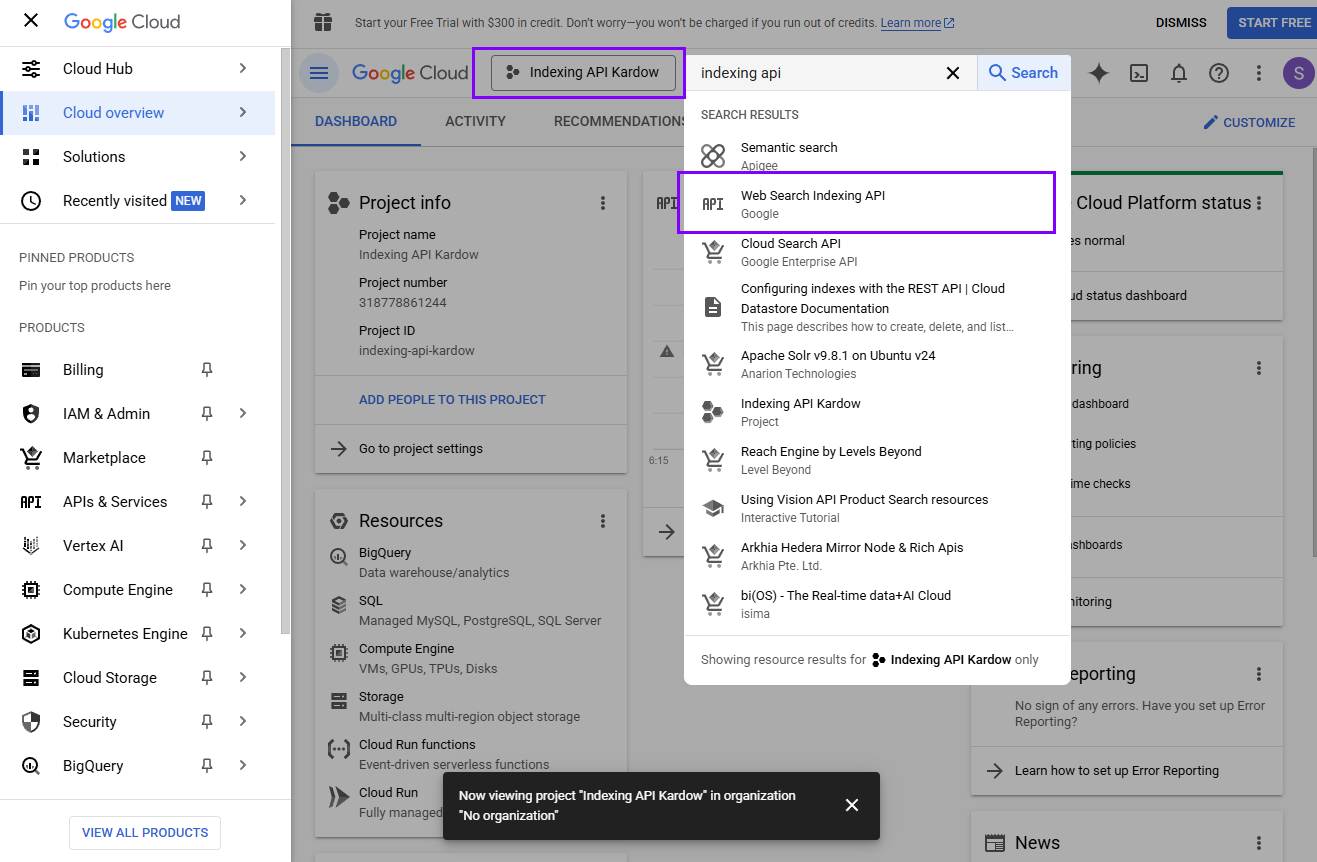
See the notification loading and once it's ready - click on select project
Once created, go to the search bar and search for indexing api - click on Web Search Indexing API
Click on Enable
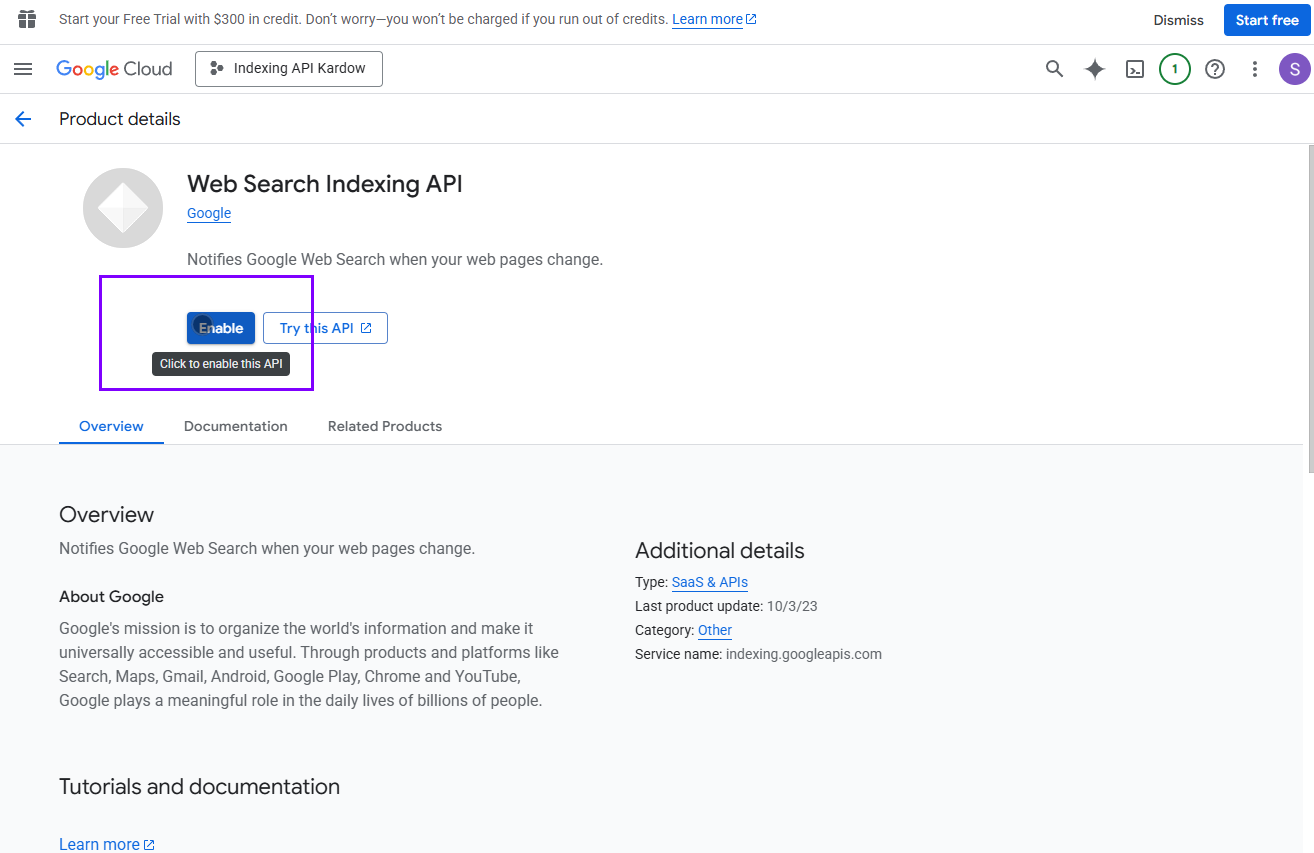
You should now see this page. You need to click on Credentials
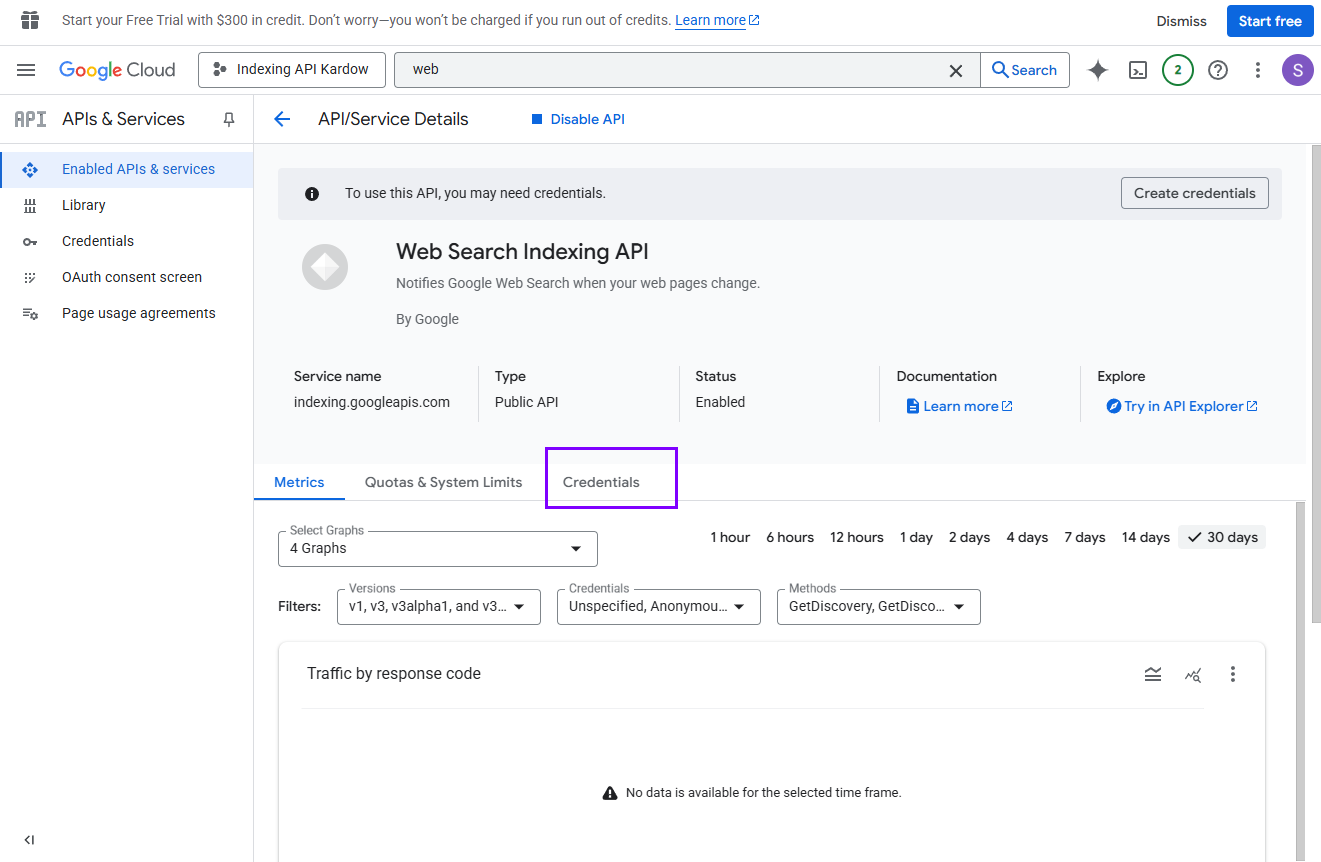
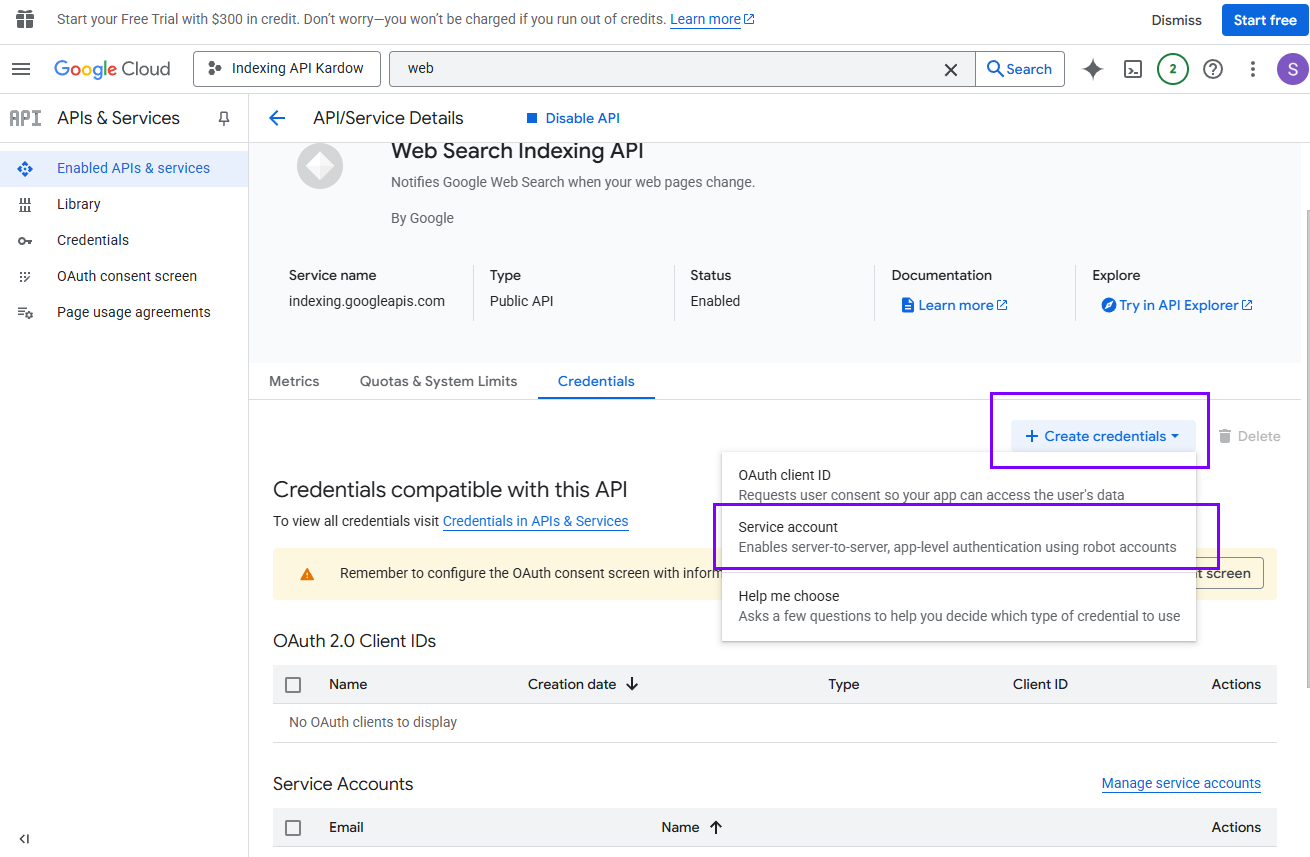
2. 👤 Create a Service Account
Click + CREATE SERVICE ACCOUNT.
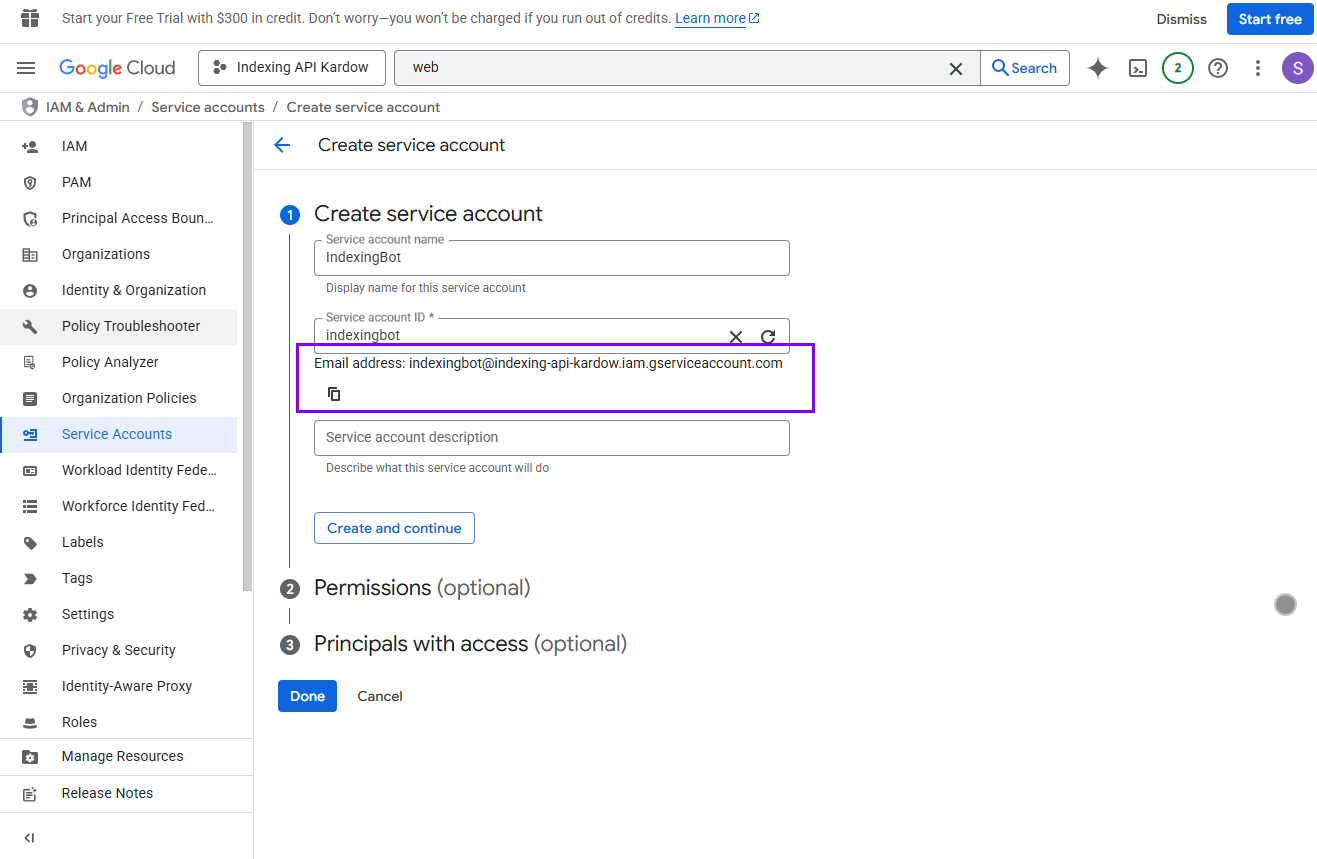
Name it something like IndexingBot, then copy the email address.
** Make sure to save the email address, you will need it later in your search console.
mine was : indexingbot@indexing-api-kardow.iam.gserviceaccount.com
then click Done
Skip permissions → Click Done.
Back in the list, click your service account → Keys tab.
Click Add Key → Create new key → JSON.
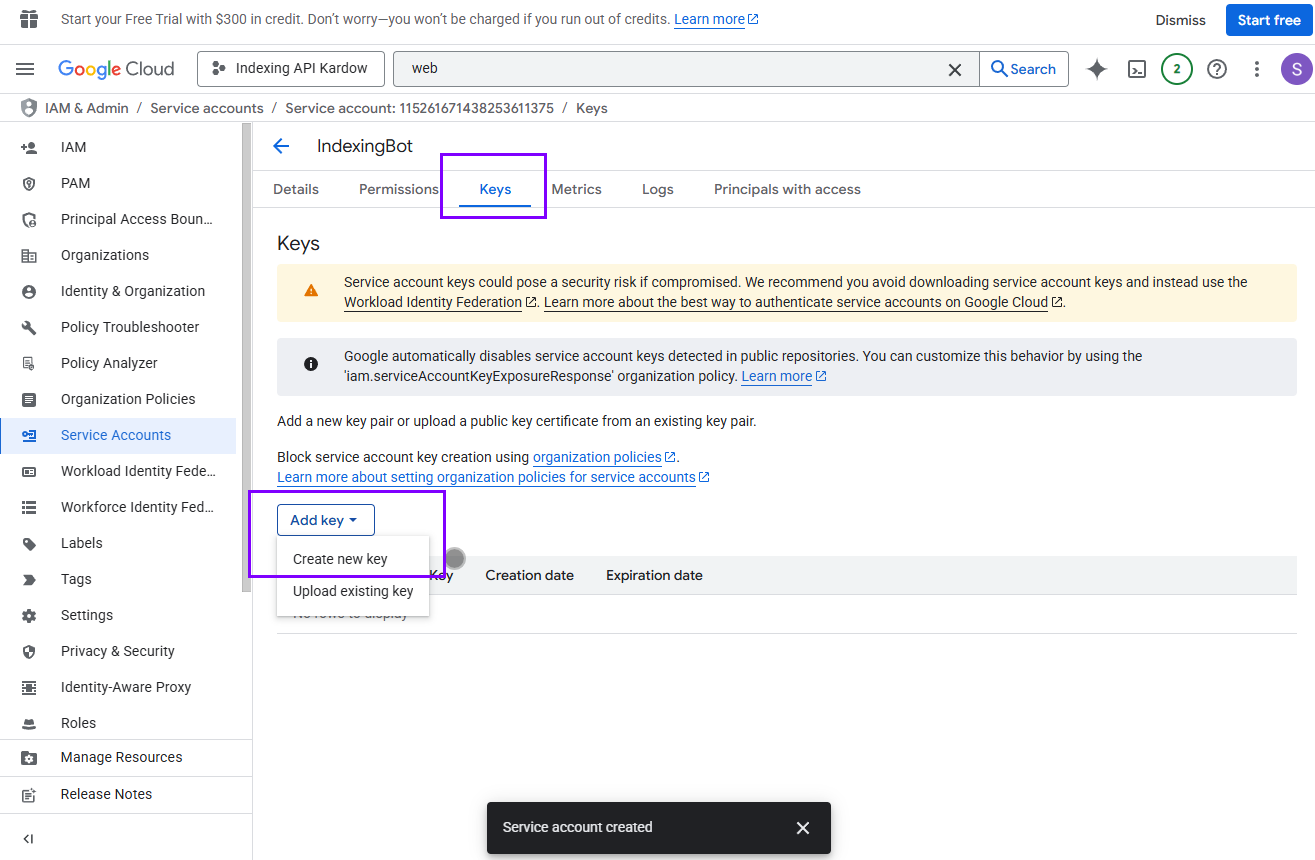
Save the .json file — you'll use it to authenticate later. It should automatically download on your computer.
This file includes the client_email — you’ll need it soon.
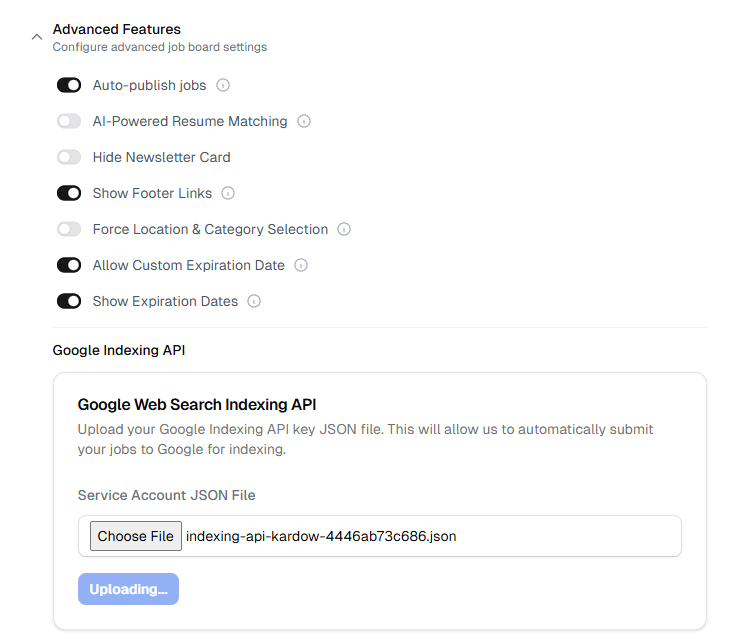
Go in your dashboard settings (Advanced features) in Kardow and upload the file exactly as it is.
3. 🌐 Verify Site Ownership in Google Search Console
Go to Search Console. https://search.google.com/
Add your site (Click Add property):
Follow instructions to verify (upload HTML file, DNS, etc.)
Once your website has been added. Click on Settings and then on Users and permissions
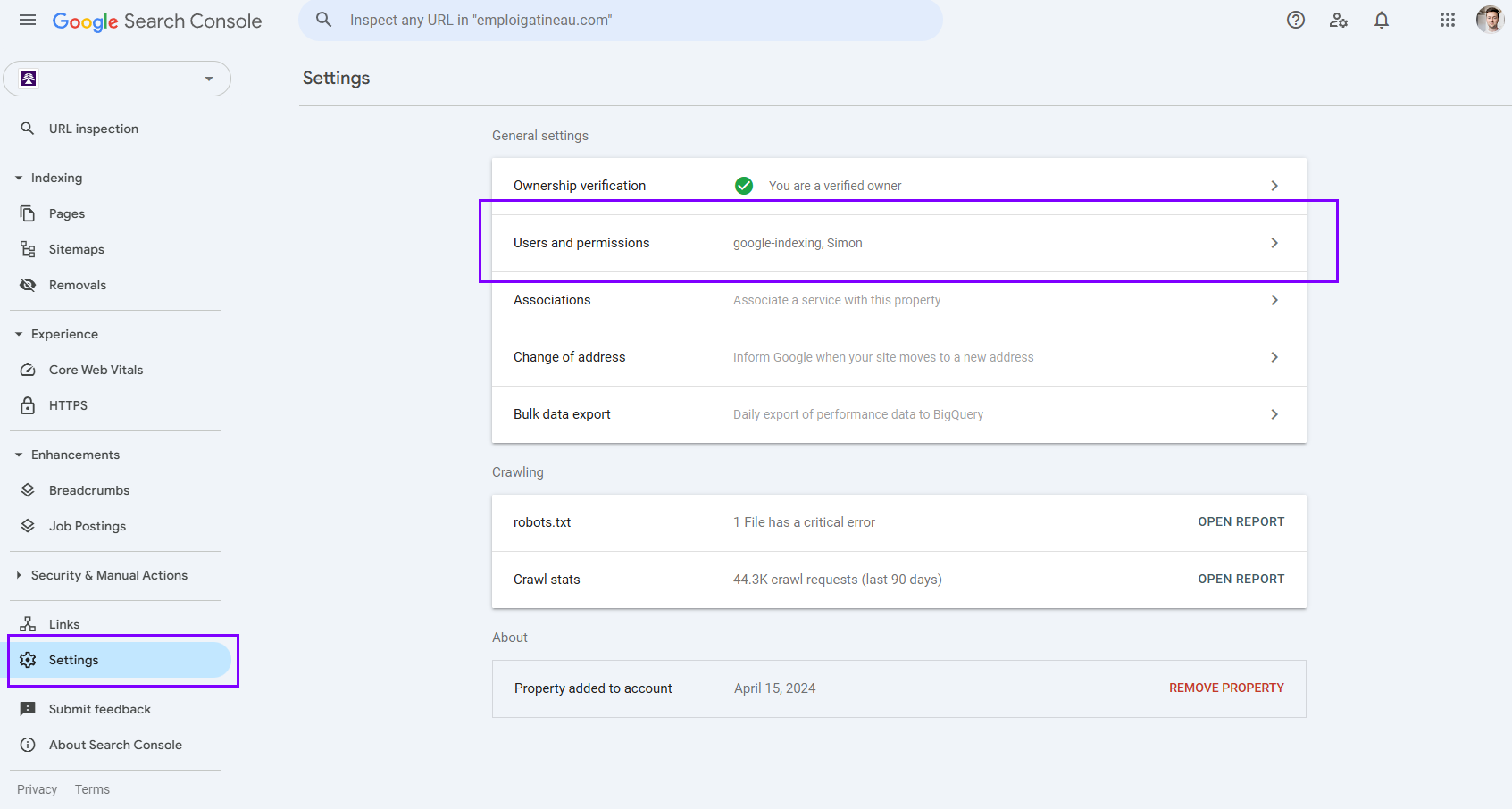
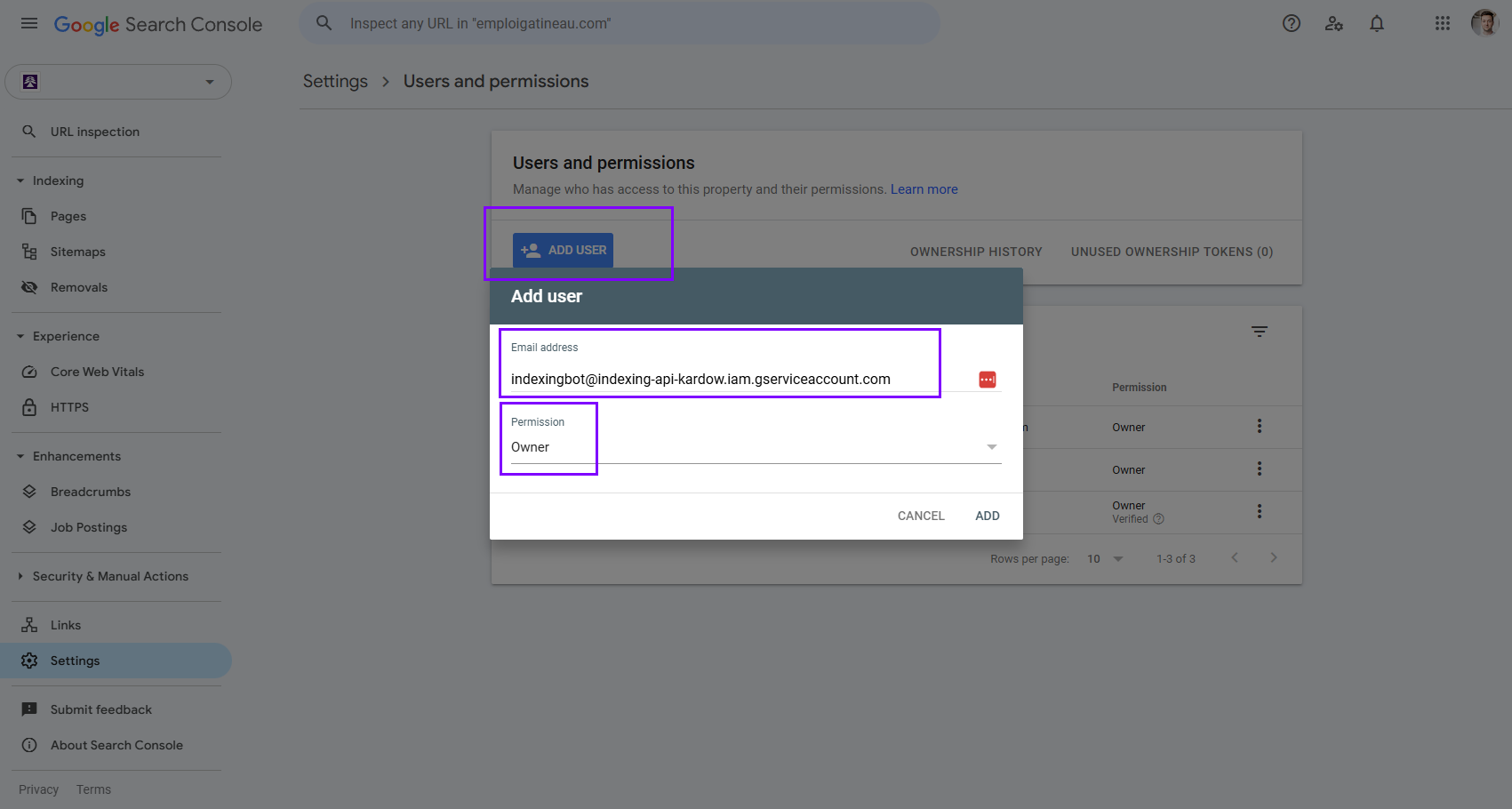
Now you need to take the email we asked you to save a few minutes ago and use it here. Click on ADD USER and add the email with permission as Owner
** Make sure Owner is the role for Permission. That's important or it won't work.
✅ Done! We will now submit URLs to Google 🎉
The indexing api is really good at increasing the number of visitors coming from google_jobs on your website. Jobs can take weeks to be indexed by Google, but the indexing api does it in 24 hours.