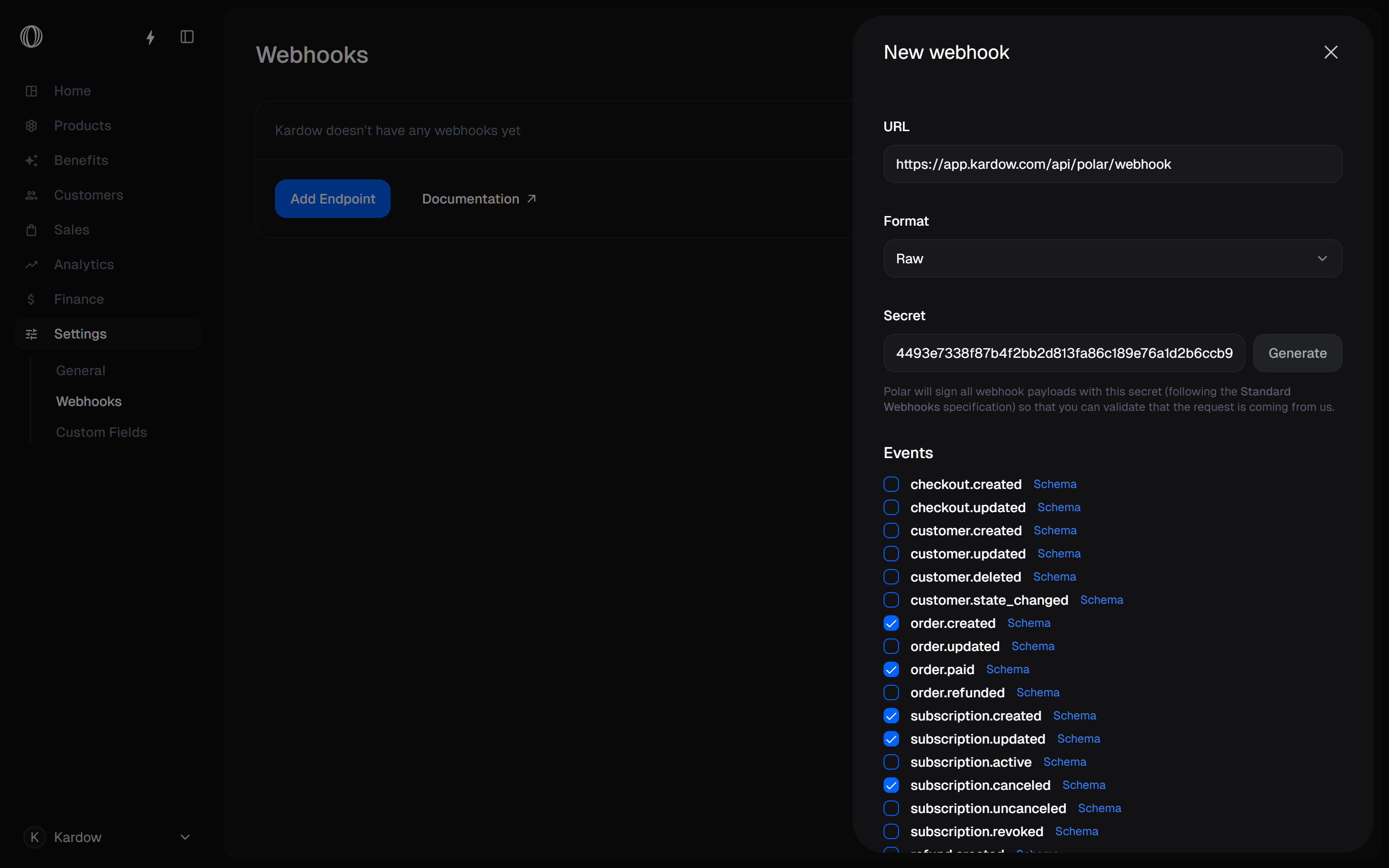
Add a webhook in Polar
To receive all payments and jobs through Kardow, you need to add a webhook in Polar. Once you connect your Polar account you will see this dialog in your dashboard.
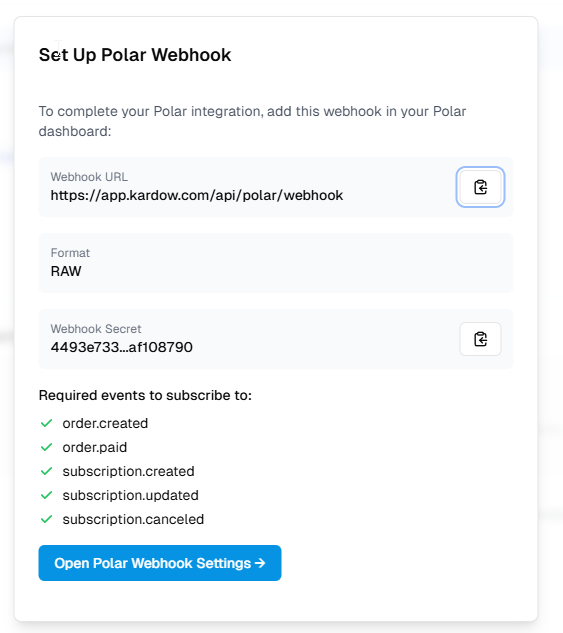
You need to go in your Polar dashboard to add it.
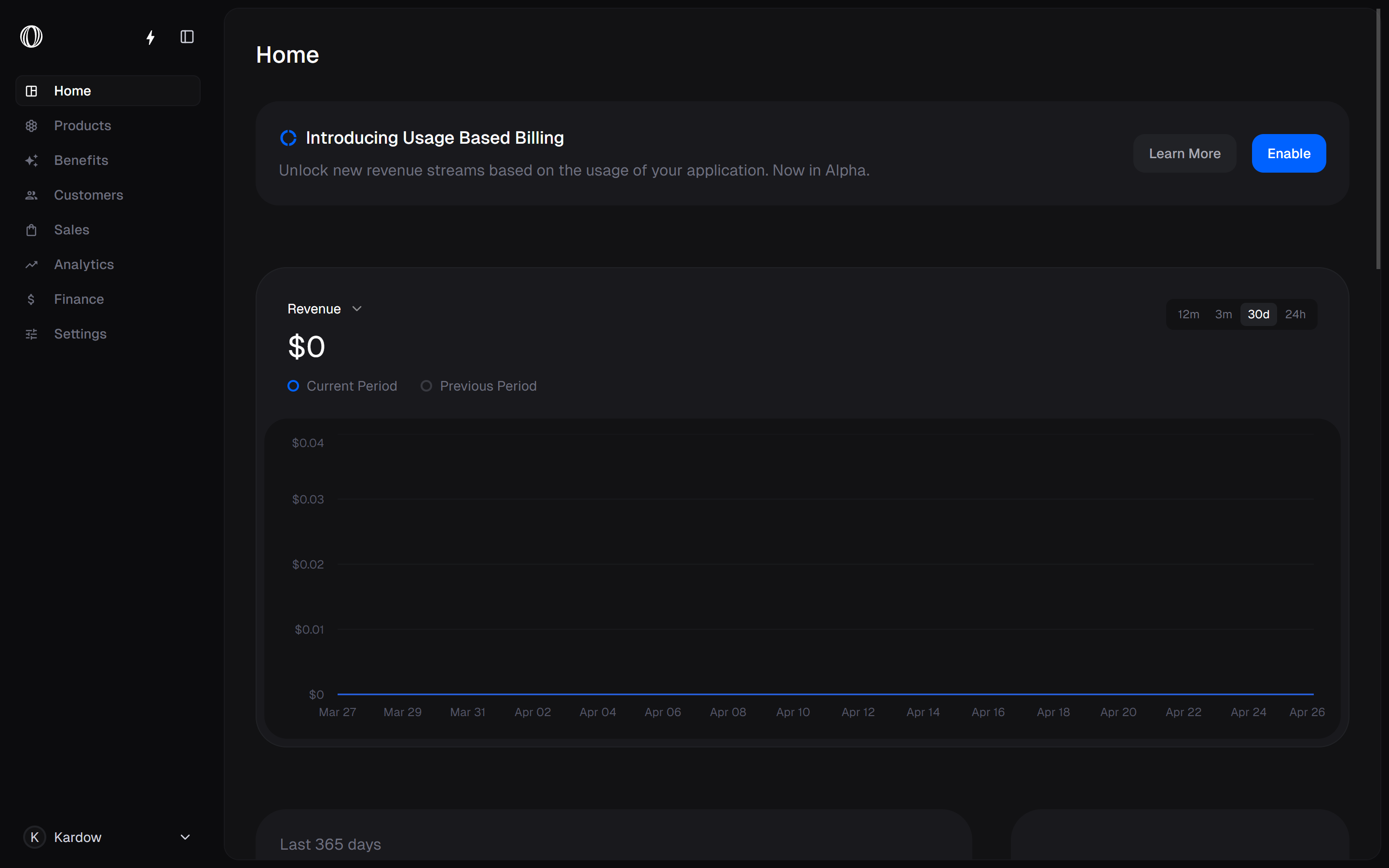
Go in Settings then in Webhook
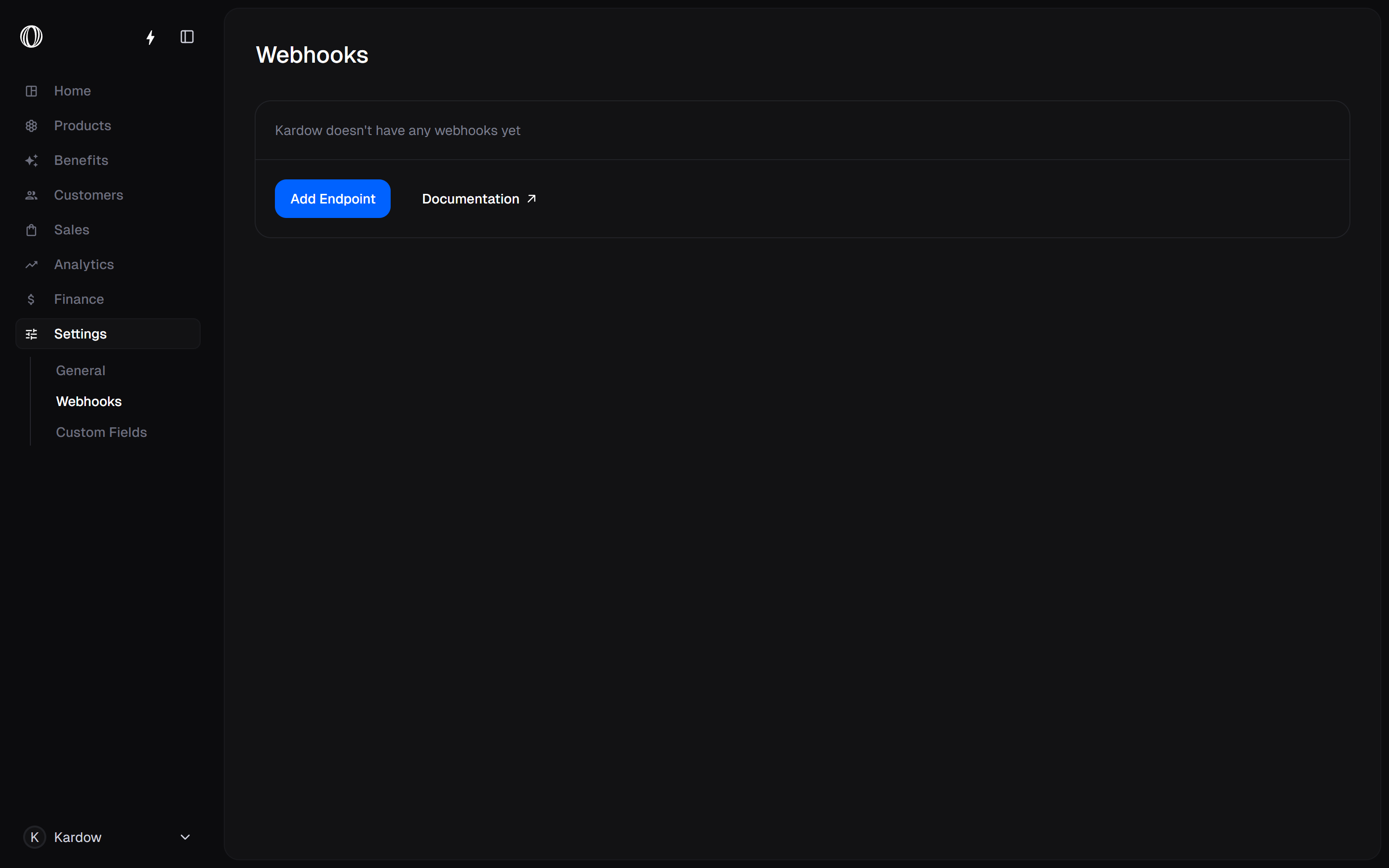
Add a new endpoint and copy the values from the Dialog in Kardow
** Make sure to select the 5 events, Format is Raw
order.created
order.paid
subscription.created
subscription.updated
subscription.canceled